Automation
Overview
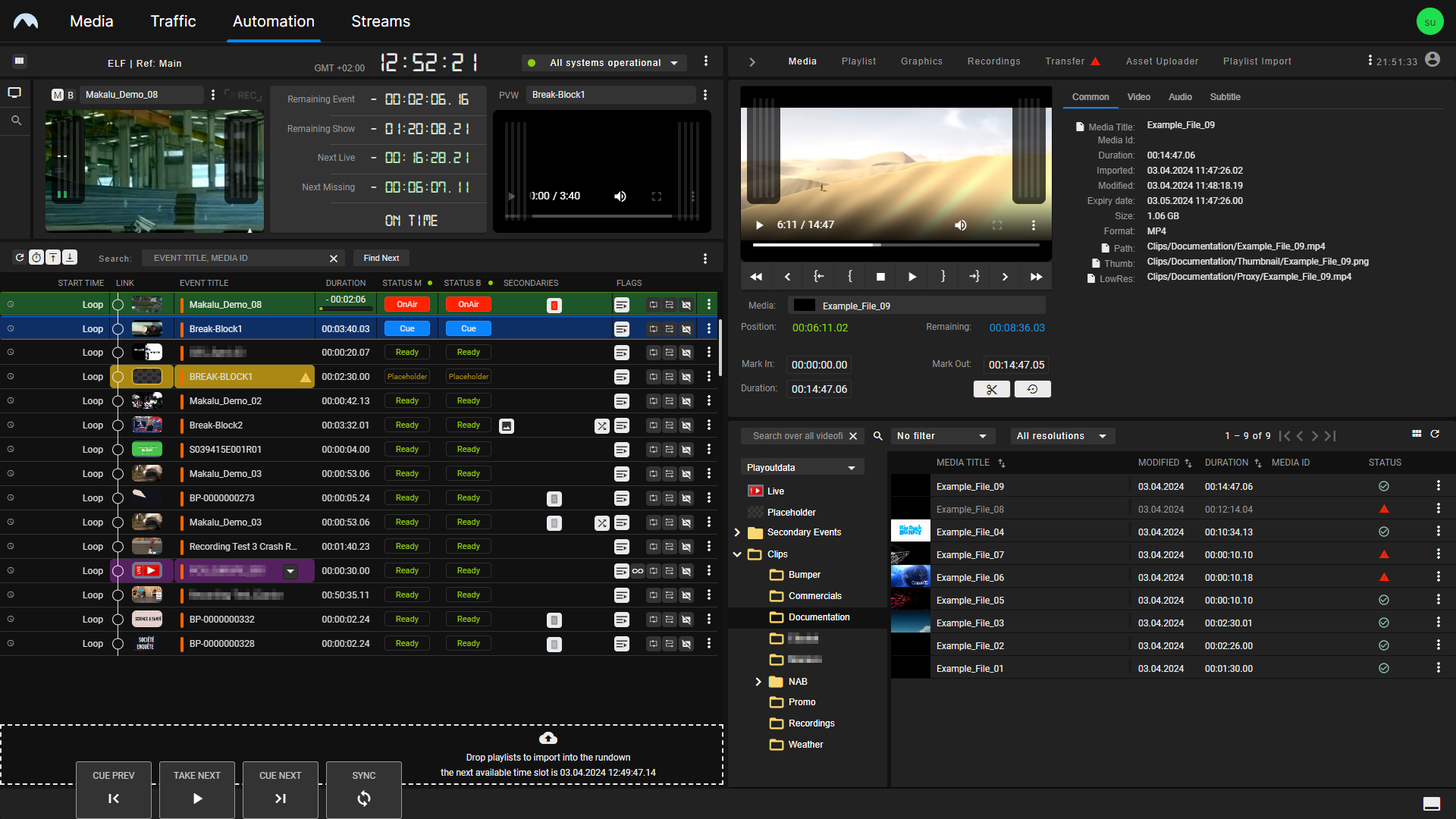
The Makalu Automation component is used for managing the Rundown and controlling the playout. It provides two separate views, the Multichannel View and the Detailed Channel View.
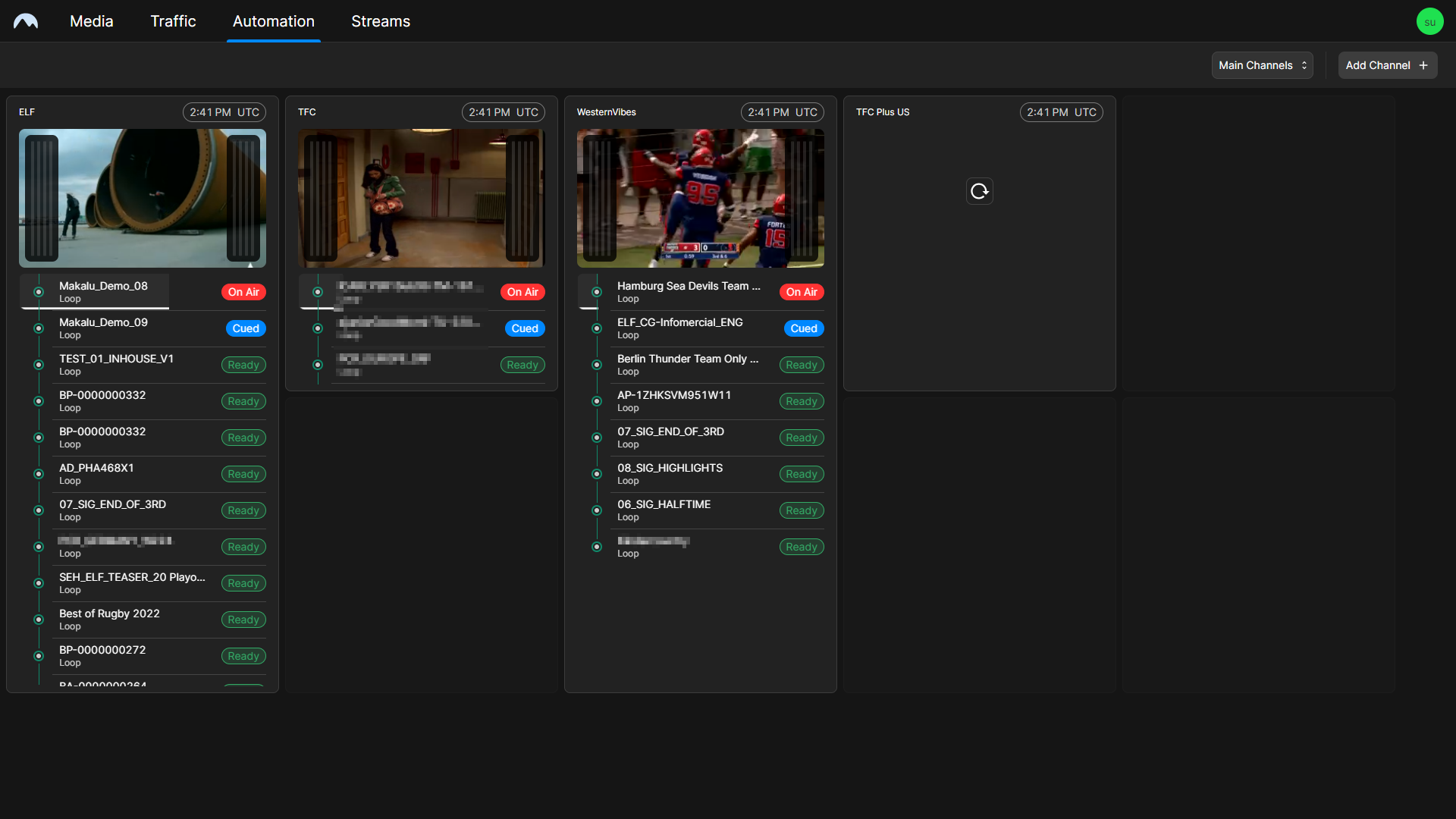
The Multichannel View (see the section Multichannel View) is only available in environments with multiple Makalu channels. It provides an overview of all available channels, including preview and Rundown information.
The Detailed Channel View (see the section Detailed Channel View) is available in all environments. It provides full control over the Rundown and playout of the corresponding channel.
Accessing the Multichannel View
To access the Multichannel View:
-
Open the Makalu Hub as described in section Accessing the Makalu Hub.
-
Select the Applications tab.
-
In the application list in the left column, select Automation > Makalu Automation.
The main Makalu UI is opened in a new browser tab, and the Automation tab with the Multichannel View is displayed.
Accessing the Detailed Channel View
To access the Detailed Channel View:
-
Open the Makalu Hub as described in section Accessing the Makalu Hub.
-
In the preview area, click the name of the channel to be opened above the corresponding preview player.
The detailed view of the selected channel is opened.